Cool VPN Pro: Secure VPN Proxy
- 4.7
- Rating
- 50.00M
- Installs
- Free
- Price

 Analysis by App-foxy
When I use a VPN on a phone, I am usually trying to solve a very ordinary problem: I want a more private connection on a public network, a steadier route for a chat, or a little extra protection before opening an account or sending information. Cool VPN Pro: Secure VPN Proxy is built for that mobile moment rather than for people who want a complicated networking dashboard. It is a free tools app from coolvpn pro, and its focus is simple: connect through a VPN proxy for everyday browsing, messaging, video use, and gaming.
That simplicity is the first thing I noticed. The app does not feel like a specialist utility designed for someone who already understands servers, protocols, or routing. Its appeal is the short path between opening the app and trying a protected connection. That makes it approachable, but it also means experienced users may look for controls and explanations that are not central to the experience.
I tested it with a practical question in mind: does a lightweight VPN app make connected phone use more comfortable, or does it merely add another button to press before going online? My answer is mixed but positive. It can be useful when the network itself is the variable, especially on mobile connections and shared Wi-Fi. It is less convincing as a complete solution for people who need detailed control, predictable performance everywhere, or a carefully documented privacy workflow.
You May Also Like

 Blood Strike: 2.5 Anniversary
Blood Strike’s Loadouts Turn Every Drop Into a Tactical Gamble
A close look at Blood Strike’s custom loadouts: how fast access to signature weapons reshapes its battle royale rhythm, rewards preparation, and narrows the gap between fights.

 Pandora - Music & Podcasts
Pandora’s Music Is Easy to Start, but Harder to Recover
Pandora’s strength is its low-effort path from a seed to a station. Its weak spot is how much confidence it asks you to place in connection, setup, and quiet recovery.

 8 Ball Pool
 Is Built on Rivalries, Rematches, and Routine
A close look at the rivalries, rematches, shared routines, and unanswered safety questions that turn a quick pool match into a persistent mobile community.

 Samsung Music
’s Quiet Strength Is Playing What You Already Own
Its reach comes less from spectacle than from dependable access to a personal library. That simplicity is both the app’s strongest retention engine and its ceiling.

 AccuWeather: Weather Radar
AccuWeather Review: A Quick, Clear Forecast for Everyday Decisions
For everyday plans, the best forecast is the one you can understand quickly. AccuWeather makes rain timing, radar, and local conditions easy to act on, with a few trade-offs.

 Hill Climb Racing
Why Hill Climb Racing Still Turns Crashes Into One More Run
A tiny car, a bumpy hill and one more upgrade: Hill Climb Racing keeps resurfacing because its simple chaos makes every near-miss feel personal.
More From Our News Desk



How the app feels when the network matters
A VPN cannot create a connection where the phone has no usable internet access. That sounds obvious, but it is the most important point to understand before installing this app. Cool VPN Pro works as a connection layer around an existing network, so the quality of the result depends on the Wi-Fi or mobile data connection already available, the route being used, and what you are doing online.
In a café or hotel, my first practical step would be to join the network normally, wait until the phone has internet access, and then open the app. This order matters. If the underlying network is overloaded or requires a sign-in page, the VPN may not be able to make that first connection easier. Once the network is working, the app becomes more relevant because it can provide an additional route for traffic instead of leaving the phone connected directly through the local network.
For messaging, the difference can be subtle. Text conversations may continue to work without any visible change, while image uploads, voice messages, and calls are more sensitive to delay and interruptions. I would not turn on a VPN automatically for every low-bandwidth message, but I would consider it before using an unfamiliar public hotspot for a longer conversation or for sending something private.
Video is a more demanding test. A VPN proxy can add another step between the phone and the service, which may help in some network situations but can also introduce delay or reduce consistency. My advice is to judge it during the activity you actually care about. A connection that feels fine while reading a page may struggle when a video starts buffering or when several devices are sharing the same hotspot.
Gaming makes the trade-off even clearer. A protected route may be useful when I do not want to use a shared network directly, but online games react badly to unstable latency. I would never assume that turning on a VPN automatically lowers ping or improves matchmaking. In practice, I would compare a short session with the VPN enabled and disabled, then keep the setting that produces fewer interruptions. If the game already runs smoothly, adding another network layer may not be worth it.
The app’s store positioning around chats, video, and gaming is therefore best read as a range of intended situations, not a promise that every activity will improve. The useful question is not “Is the VPN on?” but “Is this route better for this task and this network?” That mindset prevents disappointment and makes the tool easier to use responsibly.
What I would do on public Wi-Fi
My everyday scenario would be arriving at a train station with a low battery, joining the public Wi-Fi, and needing to check a booking or send a work message. I would first avoid entering sensitive information until the network was actually connected, then start Cool VPN Pro before opening the relevant app or website. I would keep the session focused instead of leaving every app active in the background, and I would disconnect when finished if I wanted to conserve battery or avoid unnecessary traffic through the VPN.
That workflow is more useful than simply installing the app and forgetting about it. A VPN does not replace sensible habits: I still look for the correct website, avoid suspicious login pages, and do not treat a VPN as proof that a download or message is trustworthy. The app can be one part of a safer connection routine, not a substitute for judgment.
Using it in real mobile situations
Cool VPN Pro is most naturally suited to phones because mobile connectivity changes constantly. I may start on home Wi-Fi, move to cellular data, connect to an office network, and then use a public hotspot later in the day. Each change can affect speed and reliability, so I would pay attention after switching networks rather than assuming the previous connection remains equally good.
On cellular data, the decision is less obvious. A VPN may be useful when I want an additional privacy layer, but it still sends traffic through the mobile connection and can make the phone work harder. If I am watching long videos or downloading large files, I would monitor the data plan and battery rather than leaving the VPN enabled without thinking. This is one of the app’s less glamorous trade-offs: convenience can encourage people to use it continuously, even when the task does not need it.
For short sessions, the lightweight approach is appealing. I can imagine opening the app before checking a bank-related notification, handling a message on hotel Wi-Fi, or using a browser in an airport lounge. For a long commute, however, I would be more selective. If the phone is already struggling with a weak signal, the added VPN route may make the experience feel slower. The right choice depends on whether privacy or responsiveness is more important at that moment.
Families may also find the age rating reassuring because the app is marked Everyone. That does not mean every online destination is appropriate for every child, and it does not turn the VPN into a parental-control system. I would treat the rating as an indication that the utility itself is broadly accessible, while remembering that a VPN can change how a device reaches online services and should be used with age-appropriate supervision.
Compatibility is fairly broad for older Android phones because the minimum operating system is Android 6.0. That helps if you are keeping an older spare device for travel or using a budget phone that has not received a recent Android upgrade. The current version is 1.0.429, so I would still keep the app updated through the normal store process rather than relying on an old installation, especially for a tool that sits close to network activity.
The scale of adoption is also notable: the app has passed 50 million installs and holds a 4.7 average from around 800 thousand ratings, with roughly 12 thousand written reviews. Those figures suggest that many people find the basic experience accessible, but popularity should not be confused with a guarantee that it will suit every network, phone, or privacy expectation.
Where the simple design helps
The strongest mobile advantage is reduced decision fatigue. Many VPN products present a long list of locations, modes, switches, and technical labels before I can do anything. Cool VPN Pro is easier to approach if I only want to establish a connection and get on with the task. That is especially helpful for a relative or friend who would otherwise abandon a more technical app.
The same simplicity can become a weakness when a connection fails. If I cannot see enough detail about what went wrong, I may not know whether the problem is the hotspot, the phone, the VPN route, or the service I am trying to reach. A beginner may appreciate fewer controls, while an advanced user may prefer a competing VPN with clearer diagnostics and more granular configuration.
I would also avoid treating the app as a way to solve every kind of access problem. A VPN changes the route used by the connection, but it does not guarantee access to a particular service, remove every restriction, or make an unstable network reliable. If your main requirement is a specific server location, a company-managed connection, or detailed policy control, a more specialized alternative may be the better choice.
When the connection fails and how I recover
Failure is where a VPN app earns or loses my trust. The first recovery step is simple: I check whether the underlying internet works without the VPN. If a normal page will not load on the Wi-Fi or mobile network, repeatedly tapping connect inside the app is unlikely to help. I would resolve the basic network issue first, including completing any hotspot sign-in page.
If the internet works normally but the VPN connection does not, I would close the app, reopen it, and try again after switching between Wi-Fi and cellular data. This is not a sophisticated fix, but it separates a local network problem from a temporary app or route problem. I would also avoid testing the connection with a demanding video or game immediately; a simple page or message is a better first check because it uses fewer resources.
Another useful habit is to change only one thing at a time. If I restart the phone, change networks, update the app, and alter several settings together, I will not know what solved the issue. I would begin with the network, then the app session, then the phone, and only afterward decide whether the service is reliable enough for the task.
For a work call or an online match, I would prepare a fallback before depending on the VPN. That might mean keeping cellular data available, knowing the normal Wi-Fi password, or postponing a large upload until I am on a stable connection. The app is not a good reason to remove every backup option. A VPN can be valuable protection, but it remains dependent on the same physical realities as the rest of mobile internet use.
Disconnecting is also part of recovery. If a website or app behaves strangely after the VPN is enabled, I would temporarily disconnect and test the service normally. That helps identify whether the issue is route-related. If the service works only without the VPN, I would decide whether that service is important enough to use directly on the current network or whether I should wait for a different connection. This is more practical than assuming the app is always at fault.
One limitation I would keep in mind is that a connection indicator alone does not tell me whether the route is fast, stable, or suitable for sensitive work. I would measure success by the actual task: did the message send, did the page remain responsive, did the call stay connected, or did the game become less consistent? That task-based test is more honest than judging the app by how quickly its interface changes state.
Data, battery, and the cost of convenience
The app is free to download and use, which lowers the barrier to trying it. It also includes in-app purchases ranging from $0.99 to $94.99 per item, so I would pay attention to any upgrade screen before confirming a purchase. Anyone who only wants a basic free utility should decide in advance whether the core experience meets the need and avoid assuming that every extra option is necessary.
I would be especially careful with long video sessions and large downloads. VPN traffic still consumes the phone’s internet allowance, and the extra processing can affect battery life. I would not claim a fixed amount of additional usage because it depends on the network, the content, and the phone. The practical tip is to use the app deliberately: enable it for the sensitive or public-network task, then turn it off when it is no longer serving a purpose.
That does not mean leaving the VPN off is always better. On a shared network, the privacy benefit may matter more than a small reduction in convenience. My own rule would be to prioritize protection when handling accounts, messages, or personal information, while avoiding unnecessary VPN use during routine background activity that I do not need to run through it.
Notifications and background behavior are worth watching as well. If the app remains active, I would check whether the phone shows an ongoing VPN indicator and whether the connection is still needed. This is not a criticism unique to Cool VPN Pro; any always-on network tool can become invisible after a while. The useful discipline is to review active connections at the end of a public Wi-Fi session instead of assuming the phone has returned to its normal state.
Privacy is another area where I would keep my expectations precise. A VPN can help shield traffic from the local network, but it does not make me anonymous everywhere. Websites can still recognize accounts, apps can still collect information according to their own practices, and malicious files remain malicious after passing through a VPN. I would use Cool VPN Pro as a connection-protection tool, not as an all-purpose privacy identity.
People who need a clear audit trail, advanced routing rules, or a provider chosen specifically for transparent technical documentation may be happier with a more established specialist service. Cool VPN Pro is more attractive to someone who values an uncomplicated mobile connection and is willing to accept fewer visible controls. That is a meaningful trade-off, not a flaw that affects everyone equally.
Who should use it and who should skip it
I would recommend trying it if you want a straightforward VPN proxy for occasional public Wi-Fi, messaging, browsing, video testing, or casual gaming. It is also a sensible candidate for an older Android phone because it supports Android 6.0 and above, and its Everyone rating makes the app itself broadly approachable.
I would skip it if your priority is guaranteed gaming latency, detailed server selection, enterprise-style administration, or a deep technical explanation of every connection decision. I would also avoid relying on it as the only protection for high-stakes work. In those cases, a specialist VPN with the exact controls and documentation you require is a better match.
The app’s large user base and strong average rating make it worth a trial, but I would still test it on the networks that matter to me. A VPN that performs acceptably at home may feel different on a crowded hotel hotspot. Likewise, a connection that is fine for text may not be comfortable for video calls or games. The installation decision is easy; the real evaluation happens during your own routine.
My connectivity verdict
After looking at the app through everyday network changes rather than just its connection button, I see Cool VPN Pro as a practical entry-level tool. Its value comes from making VPN use less intimidating on Android, especially when I am moving between mobile contexts and want a quick additional layer on a shared connection.
I like the fact that it can fit into a short, repeatable routine: connect to the internet, start the VPN, perform the private task, check whether the connection is actually behaving well, and disconnect when finished. That workflow is more realistic than expecting one app to improve every network automatically. It also keeps data use, battery, and troubleshooting under control.
The limitations are just as important. It cannot repair missing internet access, guarantee faster video, or promise smoother gaming on every route. Its uncomplicated approach may leave advanced users wanting more visibility. And because it is free while offering in-app purchases, I would review any optional paid step carefully instead of assuming that payment is required for ordinary use.
My final recommendation is therefore conditional but clear: Cool VPN Pro is a good first VPN proxy to test if you want simple mobile protection without a technical learning curve. Use it selectively, judge it by the specific network task in front of you, and keep a fallback for important calls or games. If that balance suits you, the app’s broad compatibility and accessible design make it a useful addition to an Android phone. If you need precision, diagnostics, or guaranteed performance, choose a more specialized alternative instead.
FAQs for Cool VPN Pro: Secure VPN Proxy
01What platforms is Cool VPN Pro available on?
Cool VPN Pro is available for both Android and iOS platforms. Users can download it from the Google Play Store or the Apple App Store. The app is designed to provide a seamless VPN experience across different devices, ensuring your connection is secure whether you're using a smartphone or tablet.
02How does Cool VPN Pro ensure my privacy?
Cool VPN Pro uses advanced encryption protocols to protect your data. It hides your IP address, making your online activities anonymous and secure from potential hackers. The app ensures that none of your personal information is stored or tracked, offering peace of mind while browsing.
03Is there a free version of Cool VPN Pro?
Cool VPN Pro offers a limited free version with basic features. However, for a more comprehensive experience, including faster speeds and more server locations, users can opt for the premium version. The premium version provides an ad-free experience and additional security features.
04Can I use Cool VPN Pro for streaming content?
Yes, Cool VPN Pro is optimized for streaming. It allows access to geo-restricted content on popular platforms like Netflix, Hulu, and BBC iPlayer. With its high-speed servers, users can enjoy buffer-free streaming, making it ideal for those who love watching international content.
05Does Cool VPN Pro affect internet speed?
While using any VPN can slightly affect internet speed due to encryption processes, Cool VPN Pro is designed to minimize this impact. It uses high-speed servers to ensure the fastest possible connection. Most users report negligible differences in speed, making it suitable for everyday use, including streaming and gaming.
Pros
- High-speed connection for seamless browsing.
- User-friendly interface
- easy for beginners.
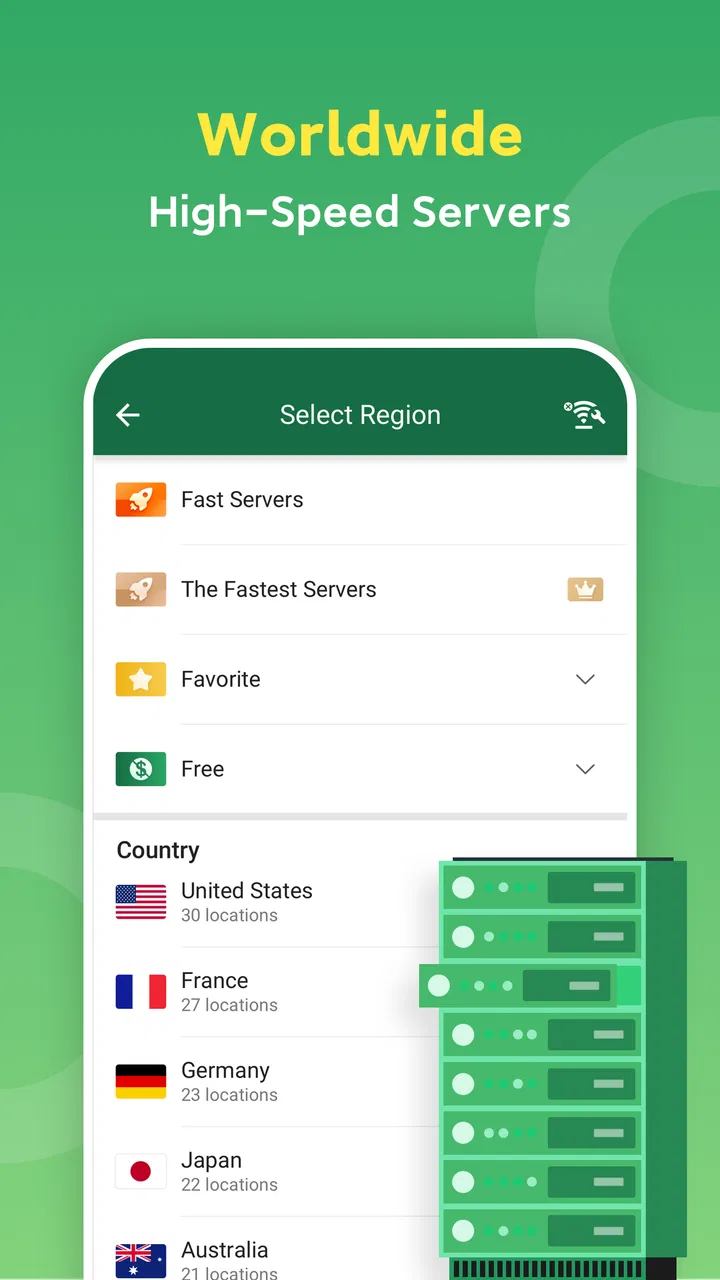
- Supports multiple server locations worldwide.
- No registration required for basic use.
- Strong encryption ensures data privacy.
Cons
- Limited free version with ads.
- Occasional connection drops.
- Some servers have slower speeds.
- Premium features behind a paywall.
- No dedicated support for all platforms.

Cool VPN Pro: Secure VPN Proxy
Gallery